HW7 Summary
Time Log – Visits to Classmates’ Sites
Date: February 18, 2026 From: 6:10pm To: 6:55pm
Date: February 18, 2026 From: 7:45pm To: 8:30pm
Date: February 20, 2026 From: 5:30pm To: 6:20pm
Date: February 20, 2026 From: 10:00am To: 11:15am
Date: February 20, 2026 From: 11:15am To: 11:35am
Essay I: Summary of Activities and New Content
This week I created two new blog posts focused on the latest and most talked about trends in artificial intelligence for 2026. The first post explores Physical AI, which is about how artificial intelligence is now being combined with robotics to create machines that can sense, think, and act in the real world. The second post covers DeepSeek and the open source AI movement, explaining how free AI models are disrupting the technology industry and giving developers around the world access to powerful AI tools without expensive subscriptions. Both posts include properly sourced free images, two relevant external links each, and are organized under the correct categories and tags for better site navigation. I also updated the general menu for visitors and the HW7 submenu for grading purposes, and ensured that commenting is enabled on all new posts.
New Content Links This Week:
- Physical AI: When Artificial Intelligence Meets the Real World
- DeepSeek and Open Source AI: Why Free AI Models Are Taking Over
Essay II: Summary of GA4 Event Setup
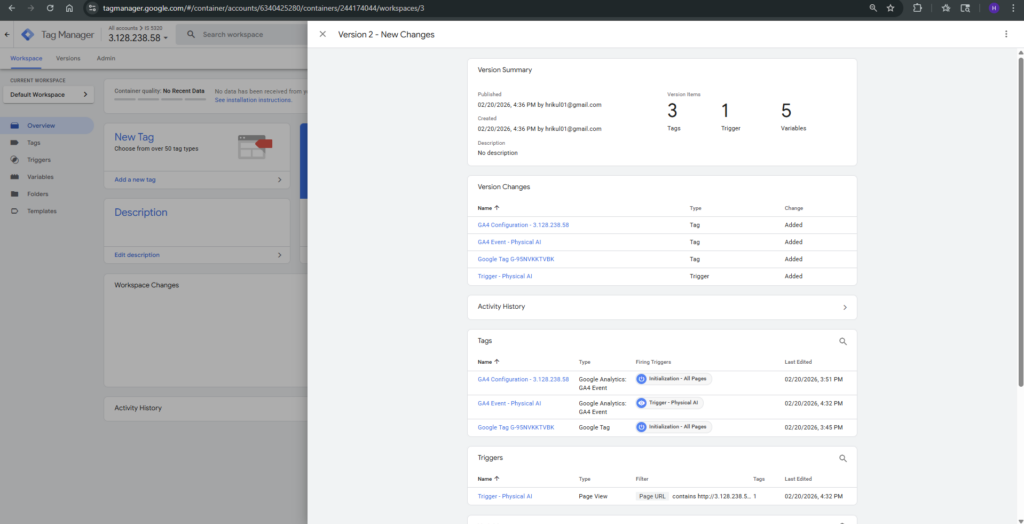
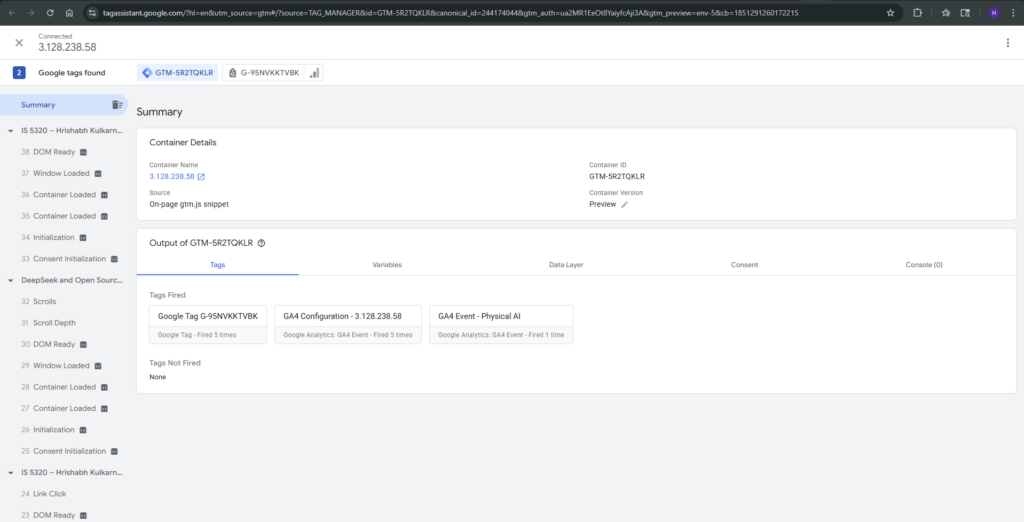
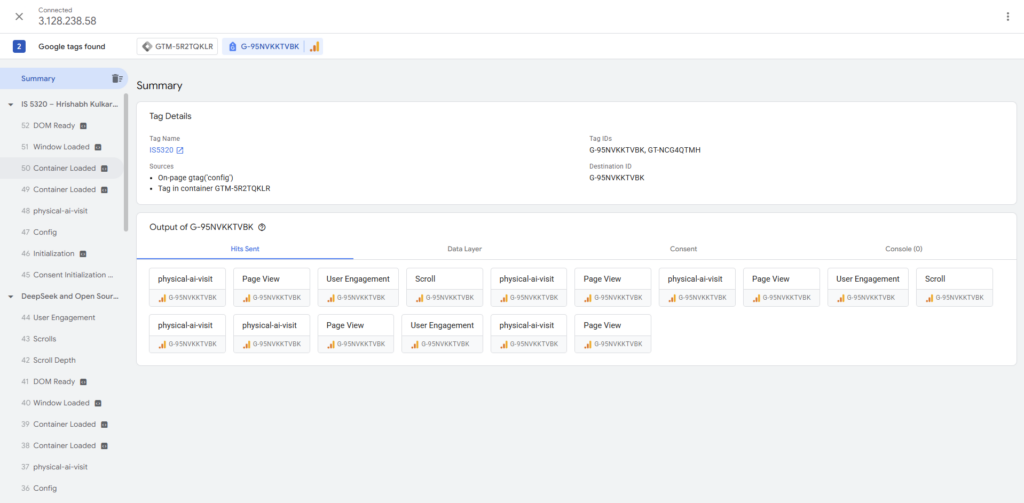
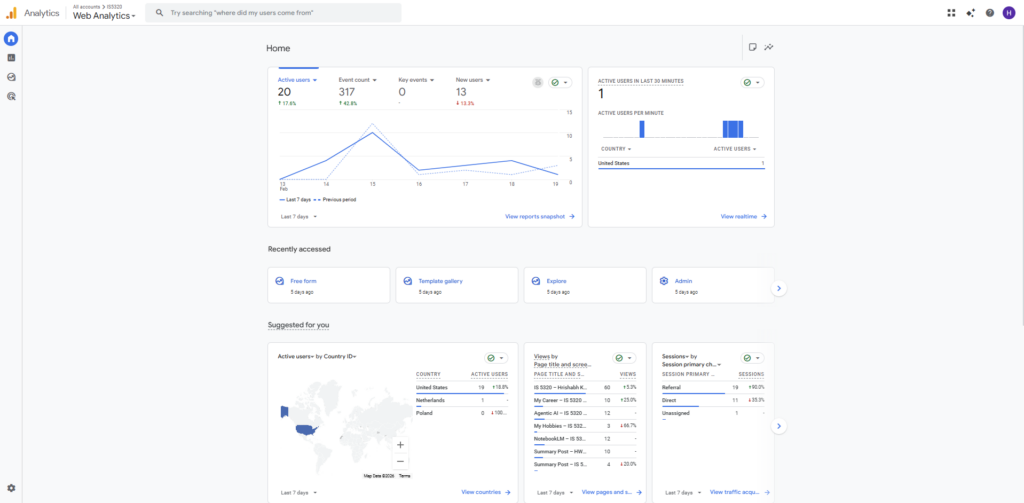
This week I set up Google Tag Manager on my WordPress site by installing the GTM container code snippet in the header and body of my web pages using the WP Insert Headers and Footers plugin. After successfully linking Tag Manager to my Google Analytics 4 property using the GA4 Configuration tag with my G- Measurement ID, I created a custom GA4 Event tag to track when visitors navigate to a specific page on my site. I configured the event trigger using a Page View condition where the Page URL contains the path of one of my new posts, so any time a user lands on that page, a custom event fires and gets recorded in GA4. I then used the Preview mode in Google Tag Manager to verify that the tag was firing correctly before publishing the container. Within a few hours, the custom event started appearing in the Realtime report section of GA4 under “Event count by Event name,” confirming the setup was working as intended.
Essay III: Best Use Case for Custom Events in GA4
One of the most practical and widely used examples of custom events in GA4 is tracking how users engage with specific content pages, which is especially useful for blogs and editorial websites like ours. For example, a website can create a custom event called “article_read” that fires only when a visitor scrolls past 75% of a blog post, indicating they actually read the content rather than just landing on the page and leaving. This kind of event gives website owners much more meaningful data than a simple page view because it measures genuine engagement instead of just traffic. By combining this custom event with parameters like the post title and category, the site owner can identify which topics keep readers most engaged and use that information to guide future content decisions. This use case directly applies to our course website because tracking which AI posts hold readers’ attention the longest can help us create better and more relevant content each week.
Leave a Reply